Demo Video Links in a Pitch Deck: How to Let Investors See
Should you put a demo video or live product link in your pitch deck? Five real slides show how to make a link that a reader will click.
Demo Link Slide: Give Investors a Short, Working Way to See the Product
Most pitch decks are read before they are presented. An investor opens the file, skims it in a few minutes and decides whether to take a meeting. If the product is software, audio or anything that moves, a still picture cannot show what it does, so many founders add a link to a demo video or a live version. Done well, it lets the product speak for itself before the founder is in the room. Done badly, the reader sees a grey box, a broken address or a password printed on the slide. This guide uses five slides from five startup decks to show what makes a demo link worth including and how to present it.
TL;DR
Put one short demo link on the product slide, say how long it is and what the reader will see, show a still from it, and make sure it works without a login. Mako AI does this best: "See our flagship AI Associate in action. Watch our 2-minute demo video.", over a large still of the product with a play button. Ramp writes a sentence of context and a full address: "Here is a quick peek at where it is today. Video Link: https://vimeo.com/787847438". VideoPlaza points to its product running live on a customer's site: "Live demo at Kanal 5". Neighborhood Match lists three links across two prototype versions, one marked "in progress". TruMid's slide shows only a linked title and "Password: trumidteam".
Five demo link slides, read in full
Each example shows how the slide presents its demo, what it gets right and what to change. Quotes are taken from the slide images at full size. We did not open the links.
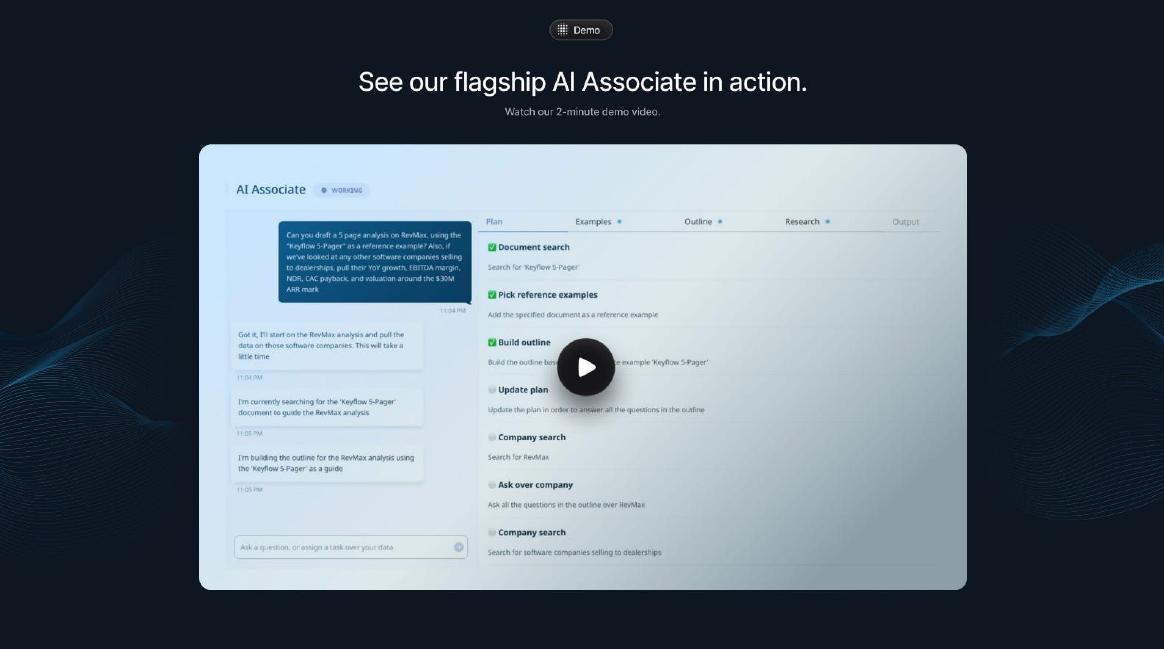
Mako AI product slide — slide 6
AI assistant for investment analysts. Dedicated demo slide.
Mako AI deck, slide 6. Exact stored slide matched to this analysis.
Our analysis: Every element helps the reader decide to watch.
Evidence and limitation: Length stated; still shows the real product; no visible address.
What a founder can adapt: Add a short visible address under the still.
Supporting analysis
What the deck claims: "Demo"; "See our flagship AI Associate in action."; "Watch our 2-minute demo video."; product still with a play button showing steps such as "Document search" and "Build outline".
Presentation choice: The still teaches the product even if the video is never played.
When it does not fit: A clickable picture with no sign that it is a link.
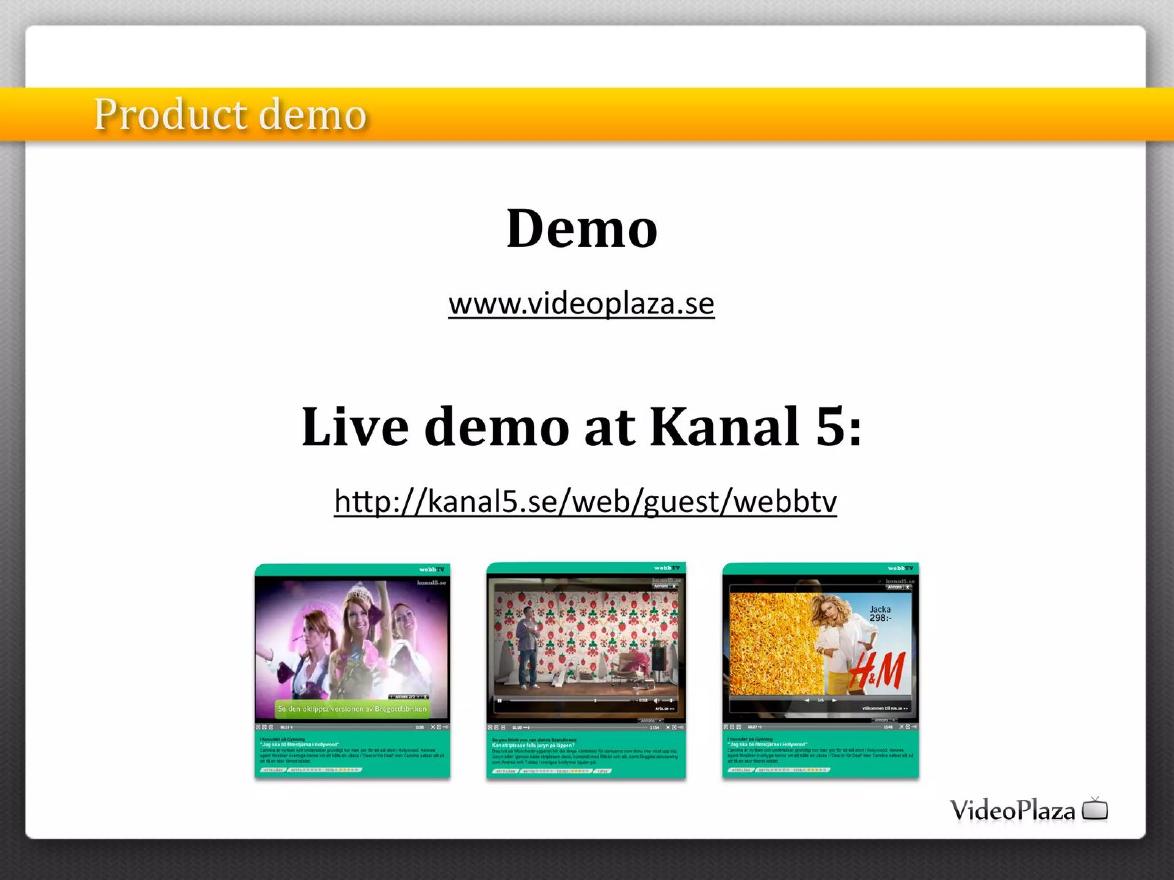
VideoPlaza deck, slide 7. Exact stored slide matched to this analysis.
Our analysis: A demo that doubles as evidence of real use.
Evidence and limitation: Live product on a named customer's site, with screenshots.
What a founder can adapt: Keep a recorded backup and say since when it has run there.
Supporting analysis
What the deck claims: "Product demo"; "Demo www.videoplaza.se"; "Live demo at Kanal 5: http://kanal5.se/web/guest/webbtv"; three screenshots of the Kanal 5 player.
Presentation choice: A customer site shows the product working outside the founder's control.
When it does not fit: Relying only on a page the customer can change.
Community matching product. Demo slide with two prototype versions.
Neighborhood Match deck, slide 4. Exact stored slide matched to this analysis.
Our analysis: Honest about stage, but asks the reader to choose.
Evidence and limitation: Three links; status of each version stated.
What a founder can adapt: Offer one link to the best current demo.
Supporting analysis
What the deck claims: "Demo – an evolved user experience"; "V1 concept prototype" with "Demo Video" and "Interactive Demo Site" links; "V2 concept prototype" with "Interactive Demo Site (in progress)".
Presentation choice: Marking a site "in progress" avoids overselling it.
When it does not fit: Pointing readers to the version you have moved past.
Whether the slide shows a product still, prints the address, states length, and needs a login.
Example
Product still
Address visible
Length stated
Login needed
Mako AI
Yes
No
Yes
Not shown
Ramp
Title card only
Yes
No
Not shown
VideoPlaza
Yes, live site
Yes
Not applicable
No
Neighborhood Match
No
Yes, three
No
Not shown
TruMid
No
Linked text only
No
Password on slide
Key Takeaways
One link, on the product slide.
Say how long it is and what it shows.
Show a still from the video on the slide.
No password, no login, no expiry.
A live customer site beats a recording.
Build your demo slide
Answer each prompt before adding a demo link to your deck.
What. What single thing should the reader see the product do?
Length. How long is the video, and can it be two minutes or less?
Still. Which frame best shows the product if the video is never played?
Access. Does the link open in a private window with no login, on a phone?
Address. Is the address printed on the slide, in full or as a short link?
Copyable framework: See [product] [do the main thing]. Watch our [N]-minute demo: [short address]. [Product still]. [One line on what stage the product is at.]
Illustrative example 1 — written by us
Before: Slide titled "Demo" with a linked logo and "Password: ourteam".
After: "See a clinic book a patient in 30 seconds. Watch our 90-second demo: example.com/demo", over a still of the booking screen, with "Live with 3 pilot clinics".
What improved: Our illustrative rewrite; the company and figures are invented for the example. It says what the video shows and how long it is, prints the address, removes the password and adds a still.
The question this guide answers
Founders ask whether to put a demo video or product link in the deck, where to put it and how to present it. The product guides in this library cover how to show a product in pictures, and the mockup guide covers how to show a product that is not built yet. None covers the link itself: the choice of sending a reader out of the deck to watch or try the product, and how to make that step work.
The question matters because a demo link is the one part of a deck that can fail on its own. The rest of the slides are always there; a link depends on a hosting service, an address typed correctly and access settings the founder may have forgotten. A deck emailed to fifty investors over three months will be opened long after the link was made.
How we chose and read the examples
We searched the extracted text of the slide library for "demo video", "watch the demo", "live demo", "click to watch", "scan the QR" and similar phrases. We removed public-company presentations and slides where the phrase described a product feature (for example, a video product's own player). We viewed the remaining candidates and kept five slides from five startup decks, each showing a different way of presenting a demo link.
Every slide was rendered from the original deck at full size and read in full before we wrote about it. We quote what is visible on each slide. We did not open any of the links: many are years old, and whether a link works today says nothing about whether it worked when the deck was sent.
A demo slide built around the video
Mako AI, which makes an AI assistant for investment analysts, gives its demo a whole slide. A small tag reads "Demo". The headline is "See our flagship AI Associate in action.", with the line "Watch our 2-minute demo video." below. Most of the slide is a still from the product: a chat on the left asking for "a 5 page analysis on RevMax", a checklist on the right with steps such as "Document search", "Pick reference examples" and "Build outline", and a play button in the centre.
This is the strongest example because every part helps the reader decide to click. The length is stated, so a busy investor knows the cost. The still is the product itself, not a logo, so even a reader who never presses play learns what the product does. And the slide works as a picture on its own when the deck is printed or the video will not load.
The one thing missing is a visible address. In the PDF the still may be linked, but a reader cannot tell, and a printed copy has no way to reach the video. A short address in small type under the still would cover both cases.
A link with a sentence of context
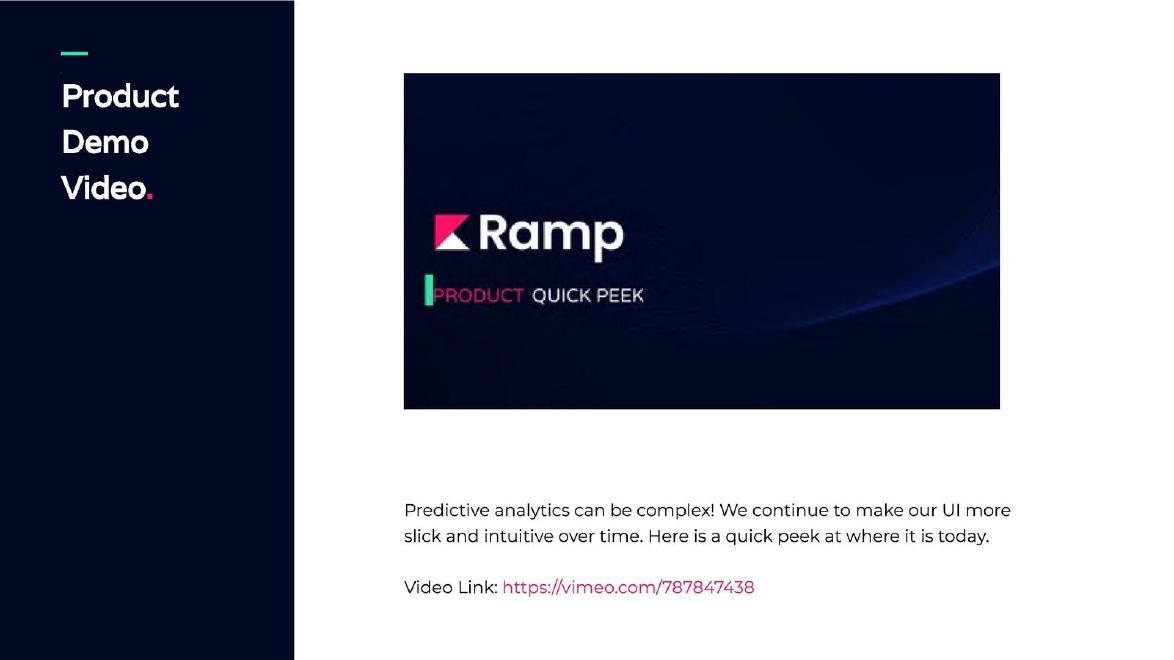
Ramp, a predictive analytics company, titles its slide "Product Demo Video." and shows a title card reading "Ramp" and "Product Quick Peek". Below it: "Predictive analytics can be complex! We continue to make our UI more slick and intuitive over time. Here is a quick peek at where it is today. Video Link: https://vimeo.com/787847438".
The full address is printed, which means it works from a printed copy and a reader can see where it goes before clicking. The sentence also sets expectations honestly: the interface is still improving, and this is where it stands "today". That framing protects the founder if the video looks rougher than the slides around it.
The weakness is the still. A title card shows nothing about the product. Replacing it with a frame from the middle of the video, showing a real screen, would make the slide useful to someone who never clicks. The slide also does not say how long the video is.
A live product on a customer's site
VideoPlaza, an online video advertising company, titles its slide "Product demo". It gives two addresses: "Demo www.videoplaza.se" and "Live demo at Kanal 5: http://kanal5.se/web/guest/webbtv". Below are three screenshots of the Kanal 5 web TV player showing ads, one featuring H&M.
This is a different kind of demo and in some ways a stronger one. A recording shows what the founder chose to show; a live customer site shows the product working for a named customer, which is evidence of use as well as a demo. The screenshots let the reader see it without clicking.
The risk is that the founder does not control a customer's site. It can change, remove the product or move the page. A deck that points to a live customer page should also keep a recording as a backup, and say which customer's site it is and since when the product has run there.
Several links across versions
Neighborhood Match titles its slide "Demo – an evolved user experience". Under "V1 concept prototype" it lists "Demo Video: http://screencast.com/t/gzHxbg8o" and "Interactive Demo Site: http://neighborhoodmatch.weebly.com/". Under "V2 concept prototype": "Interactive Demo Site (in progress): http://neighborhoodmatch.org/".
The slide is honest about status: both versions are called concept prototypes, and the newest site is marked "in progress". That is better than presenting a prototype as a finished product. But three links on one slide ask the reader to choose, and most will choose none. The older version is also the one with the video, so the reader is pointed toward the product the founders have already moved past.
A simpler slide would offer one link to the best current demo, a single line on what changed from the earlier version, and a still from the newest prototype.
The mistake: a password on the slide
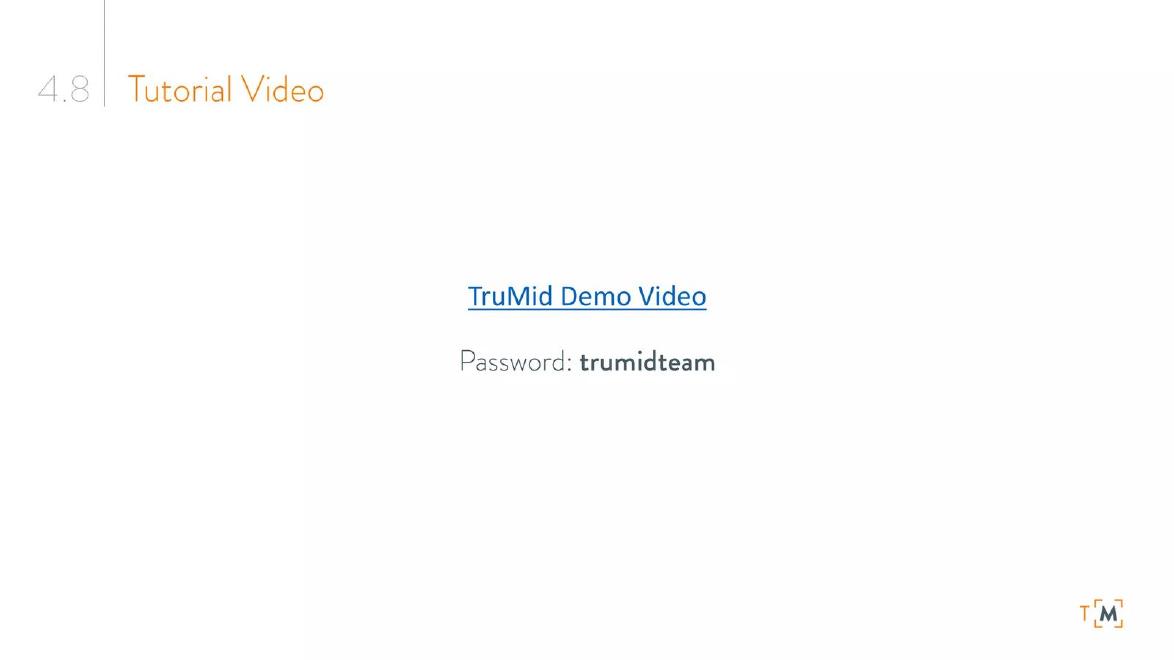
TruMid, a bond trading platform, titles a slide "Tutorial Video". The slide shows a single linked line, "TruMid Demo Video", and below it "Password: trumidteam". There is no picture, no description and no length.
Protecting a demo with a password is reasonable when it shows customer data or unreleased features. Printing the password on the slide removes that protection for anyone who receives the deck, including people it is forwarded to, so the password adds a step without adding security. The slide also gives a reader who does not click nothing at all: no still, no sentence on what the product does.
If the demo must stay private, send the password separately, or use a link that expires and can be issued per investor. If it does not need to be private, remove the password. Either way, add a still and one line on what the video shows.
Where the link belongs
The product slide is the natural place, because that is where the reader is already trying to understand what the product does. A dedicated demo slide right after it, as Mako AI and Ramp use, also works. The cover works for products that cannot be shown in pictures at all, such as audio. The appendix is the wrong place: most readers never reach it.
When presenting live, do not play the video in the meeting unless it is very short. Investors would rather see the founder show the product, or ask questions. The link is mainly for the deck that is read without you.
Making sure the link works
Before sending a deck, open every link from a private browser window with no logins, on a phone and on a laptop. Check that the video is not set to private or limited to certain viewers, and that any trial account has not expired. Use a hosting service that will keep the address stable; avoid temporary file-sharing links.
Print the address in full or as a short link, not only as a hidden hyperlink on a picture. Many readers do not know a picture is clickable, and some deck viewers strip links entirely.
Keep the video short. Two minutes is enough to show the main thing the product does; a full walkthrough belongs in a later meeting.
Common mistakes
Password on the slide. Send it separately or drop it.
Hidden link. Print the address; not every reader knows a picture is clickable.
Logo instead of product. Use a frame that shows the product working.
Too many links. Offer one.
Untested link. Open it in a private window before every send.
Diagnostic checklist
One demo link, on or right after the product slide.
Length and content stated in one line.
Product still on the slide.
Address printed in full or as a short link.
Opens with no login on phone and laptop.
Frequently asked questions
Should I embed the video in the deck file?
Usually not. Embedded video makes the file large and often does not play in PDF viewers or email previews. Link to it and show a still.
Is a live product link better than a video?
If the product works without setup, a live link to it, or to a customer site using it, shows more than a recording. Keep a video as a backup.
Can I track who watched the demo?
Some hosting services show views. Tell investors if you track per-person views, and never let tracking block access.
How we chose these examples
Corpus: published pitch deck teardowns on StartupFundraising.com. Founder-uploaded private decks are excluded.
Selection (2026-10-01; v2 2026-10-05 removed Iris Audio because a page of its deck carries a restriction notice): we searched extracted slide text for demo video, live demo, click-to-watch and QR-code phrases, excluded public-company presentations and product-feature uses, and kept five slides from five startup decks that each show a distinct way of presenting a demo link.
Review: all five slides were rendered from the source decks at full size on 2026-10-01 and read in full against company, deck and page number (editorial model review, with AI assistance in drafting). No person has yet completed an editorial review of this page. We did not open any of the links shown on the slides.