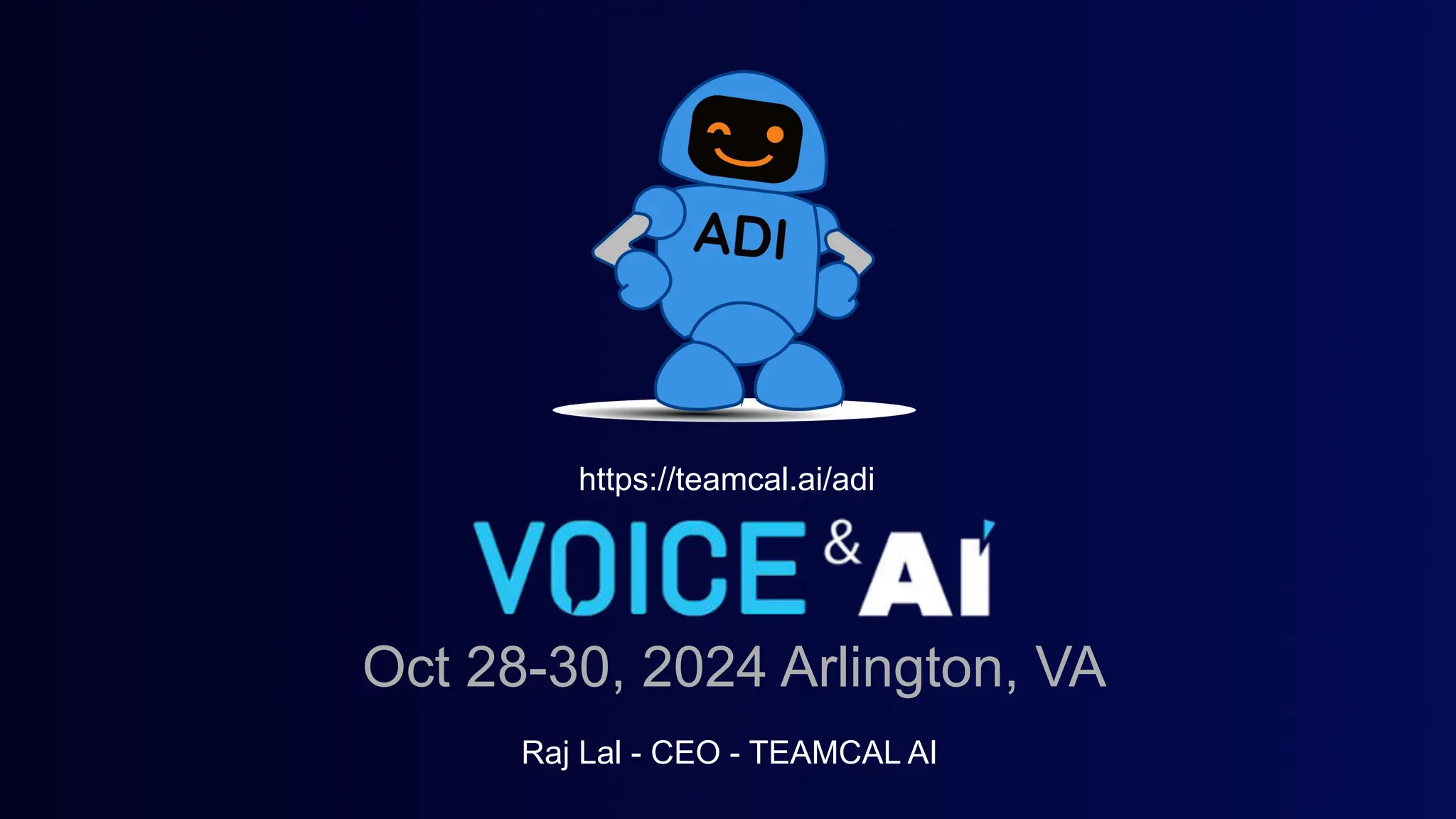
TEAMCAL AI’s pitch deck is a highly visual, product-focused presentation that introduces ADI, a voice-activated AI assistant designed to streamline scheduling. The deck effectively communicates the tool's utility across mobile and enterprise platforms like Microsoft Teams, using clear UI mockups and command examples. However, from a fundraising perspective, the deck is incomplete. It lacks a dedicated team slide, market validation data, competitive analysis, and a specific financial ask. The presentation functions more as a product demo for a conference—specifically the Voice & AI event in Ar…
Key takeaways
- The deck serves as a presentation for the Voice & AI conference in Arlington, VA, dated October 28-30, 2024 (Slide 1).
- The product, ADI, targets three specific personas: Business Leaders, Professional Services, and Executive Assistants (Slide 3).
- Functionality is demonstrated through specific natural language commands such as 'Find time with #engineering' and 'Move my 5pm to 7pm' (Slide 5).
- The mobile interface includes a voice-wave visualizer and a loading screen featuring the ADI mascot (Slide 7).
- Enterprise integration is highlighted via a Microsoft Teams interface showing a dedicated 'Adi Bot' chat window (Slide 9).
- The technical architecture is presented as a five-layer pyramid, starting with Calendar APIs from Outlook and Google at the base (Slide 11).
- There is no mention of current user growth, revenue, or customer acquisition costs in the provided slides.
- The deck omits a 'Team' slide, leaving the background and expertise of the founders unknown to the reader.
Introduction: A Product-First Presentation
TEAMCAL AI presents a deck that is heavily weighted toward product demonstration and user experience. The company’s mascot, a blue robot named ADI, serves as the visual anchor for the entire presentation. While the deck succeeds in showing what the product does, it largely ignores the why and how much that professional investors typically require. The following teardown examines the six provided slides to understand the product's positioning and the significant gaps in the business case.
Slide 1: Title and Event Context
The cover slide establishes the company identity and the specific context of this presentation. It features the ADI mascot and the text "VOICE & AI," which refers to a specific industry event. The slide includes the date "Oct 28-30, 2024" and the location "Arlington, VA." This indicates the deck was likely designed for a live pitch competition or a product showcase rather than a cold-send to a Venture Capital firm. Raj Lal is identified as the CEO of TEAMCAL AI. The inclusion of a specific URL (teamcal.ai/adi) suggests a call to action for immediate product trial.
Slide 3: Target Audience Segmentation
Slide 3, titled "Who is this for?", uses stock photography to represent three distinct market segments: Business Leaders , Professional Services , and Executive Assistants . This is a standard way to define user personas. By highlighting Executive Assistants, the deck acknowledges that the tool is intended for power users who manage complex, multi-person calendars. However, the slide lacks data on the size of these segments or the specific pain points (in minutes lost or dollars wasted) that each group faces.
Slide 5: Functional Capabilities and Natural Language Processing
This slide is the core of the product explanation. It surrounds the ADI mascot with four categories of commands, demonstrating the breadth of the AI’s utility. The categories and exact quoted commands are:
SETUP MEETING: 'Set up meeting with @raj and john@acme.com for "ADI Demo"' and 'Setup meeting with @xuan and @bryan tomorrow'. · FIND TIME: 'Find time with #engineering' and 'Find time with @xuan and @bryan'. · SHOW SCHEDULE: 'What events do I have today?' and 'Show Schedule for Friday'. · RESCHEDULE: 'Move my 5pm to 7pm', 'Cancel My 5pm', and 'Cancel my meeting with @xavier'.
This slide effectively communicates that the AI understands context (like "tomorrow" or "#engineering") and can handle both internal and external (email-based) participants. It positions ADI as a comprehensive replacement for manual calendar clicking.
Slide 7: Mobile User Interface and Experience
Slide 7 provides a three-step visual walkthrough of the mobile application. A QR code and URL are provided on the left for immediate access. The mockups show:
A "Listening..." screen with a list of suggested voice commands. · A "Loading" screen featuring the ADI mascot on a treadmill, which adds a brand personality element. · A results screen where ADI provides a summary: "Raj, you have a pretty packed day With 5 Meetings."
The UI is clean and follows modern mobile design conventions. The use of a voice-wave visualizer reinforces the "Voice & AI" theme of the presentation. However, there is no mention of the platform (iOS vs. Android) or the status of the app (Beta vs. Live).
Slide 9: Enterprise Integration (Microsoft Teams)
Recognizing that business scheduling happens within work-streams, Slide 9 showcases the "Adi Bot" within the Microsoft Teams environment. The interface displays a dashboard of quick-action buttons such as "Block time for 30 mins" and "Find time for tomorrow." This slide is crucial for demonstrating that the product is not a siloed app but a tool that lives where the users already work. It quotes the bot's purpose as: "Schedule meetings with teams, team members, & externals in Microsoft Teams." This highlights the B2B utility of the product.
Slide 11: The Technical Stack and Ecosystem
The final slide in this set, titled "How Does ADI Works?" (sic), uses a pyramid graphic to explain the product's architecture. The layers are numbered 1 through 5:
1: Calendar APIs - Outlook / Google: The foundation of the service. · 2: TEAMCAL AI - SaaS: The proprietary software layer. · 3: Team, Time Zones, 3rd Party: The logic layer handling complexity. · 4: Apps: Mobile, Slack, MsTeam, Zoom, Outlook: The distribution layer. · 5: ADI - Your Meeting Assistant: The user-facing interface.
This slide clarifies that TEAMCAL AI is a SaaS platform that sits on top of existing calendar infrastructure. It is a helpful visualization of the product's place in the tech stack, though it remains light on actual technical specifications or security protocols.
What is Missing from the Deck
While the product demonstration is clear, the business case is almost entirely absent. For a fundraising analyst, the following omissions are critical red flags: 1. The Team: There is no slide detailing the founders' background, technical expertise, or previous exits. Investors invest in people, especially at the early stage. 2. Market Size (TAM/SAM/SOM): The deck does not quantify the opportunity. How many millions of executive assistants or business leaders are there? What is the total addressable market for AI scheduling? 3. Traction and Metrics: There are no figures regarding user growth, retention, or engagement. Without these, it is impossible to tell if the product has found market fit. 4. Business Model: The deck does not explain how TEAMCAL AI makes money. Is it a per-user subscription, an enterprise license, or a freemium model? 5. Competition: The scheduling space is crowded with players like Calendly, Reclaim.ai, and native AI features from Google and Microsoft. The deck fails to articulate a unique competitive advantage or "moat." 6. The Ask: There is no slide stating how much capital the company is seeking, the valuation, or what milestones the funding will help achieve.
What a Founder Should Copy
Despite the missing business data, there are elements of this deck that are executed well:
Clear Use Cases: Slide 5 is an excellent example of how to show, not just tell, what an AI product does. Using actual command strings helps the audience visualize the user experience. · Platform Ubiquity: Showing the product on mobile (Slide 7) and within an enterprise tool like Teams (Slide 9) demonstrates that the founders understand the importance of meeting users in their existing workflows. · Visual Branding: The consistent use of the ADI mascot creates a cohesive brand identity that makes the product feel more approachable and memorable. · Direct Access: The inclusion of QR codes and URLs throughout the deck allows interested parties to immediately engage with the product, which is a powerful way to prove the technology is real and functional.
Final Analysis
The TEAMCAL AI deck is a strong product pitch but a weak investment pitch . It is perfectly suited for a conference stage where the goal is to drive sign-ups or find beta testers. However, to secure venture capital, the founders must supplement these slides with a rigorous analysis of the market, a clear revenue strategy, and a compelling narrative about the team's ability to execute in a highly competitive landscape. The technical architecture is soundly presented, but the commercial engine remains a mystery.
Frequently asked questions
- What is the primary problem TEAMCAL AI is trying to solve?
- Based on the functional slides, the company is addressing the friction and time-loss associated with manual scheduling. By using voice and natural language processing, ADI aims to automate tasks like finding meeting times across teams, rescheduling existing appointments, and checking daily agendas, specifically for high-volume schedulers like executive assistants and business leaders.
- Which platforms does TEAMCAL AI support?
- Slide 11 explicitly lists the ecosystem integrations. The product relies on Calendar APIs from Outlook and Google. It is accessible via mobile apps and enterprise communication tools including Slack, Microsoft Teams, Zoom, and Outlook. Slide 9 specifically showcases the Microsoft Teams integration, suggesting a heavy focus on B2B enterprise environments.
- Who are the intended users of the ADI assistant?
- Slide 3 identifies three core user groups: Business Leaders, who likely need quick schedule summaries; Professional Services, who manage client-facing calendars; and Executive Assistants, for whom scheduling is a primary job function. The deck positions the tool as a productivity multiplier for these specific roles.
- What technical information is provided about the AI?
- The deck provides limited technical depth. Slide 11 shows a high-level stack: APIs at the bottom, the TEAMCAL AI SaaS layer in the middle, and the ADI assistant at the top. It emphasizes the ability to handle time zones and third-party data, but does not detail the underlying LLM or proprietary algorithms used.
- Is this a complete investment deck?
- No. This appears to be a 'demo deck' or a conference presentation. It lacks essential investment components such as a Market Size (TAM/SAM/SOM) slide, a Business Model/Pricing slide, a Competitor Matrix, a Team biography slide, and a slide detailing the funding round details and milestones.