Qme, a product by Digital Mortar, positions itself as a virtual queue management solution that leverages SMS to handle customer flow without requiring a dedicated app. The deck emphasizes the user experience, showing how customers can join lines, receive wait-time updates, and cancel reservations via simple text commands. While the presentation excels at explaining the 'how'—detailing features like FIFO stacks and server claiming—it lacks traditional venture capital metrics. There is no mention of market size, revenue, specific team biographies, or a formal investment ask in the provided slid…
Key takeaways
- The solution is entirely SMS-based, removing the friction of app downloads for end-users (Slide 2).
- Qme supports both fully virtual queues and 'Partial VQ' systems that balance virtual spots with ad hoc physical lines (Slide 4).
- The product allows for advanced reservations, specifically citing a 60-minute lead time for college dining halls (Slide 5).
- Counter service features include a 'FIFO Stack' and 'Server Claiming' to automate list updates as orders are processed (Slide 6).
- The company positions itself as an incumbent in the space, describing themselves as 'People Counting Experts' with an existing occupancy platform (Slide 8).
- The deck identifies 'Digital Mortar' as the parent company or developer behind the Qme product (Slide 9).
- There is a complete absence of financial projections, unit economics, or market sizing data in the reviewed slides.
- The deck lacks a traditional 'Team' slide with individual names, focusing instead on corporate expertise (Slide 8).
Slide-by-Slide Analysis
Slide 1: Title Slide
The deck opens with the Qme logo and the tagline: "A Virtual Queue Management Solution." The background imagery features a family in a retail environment, immediately signaling the B2B2C nature of the product. The branding is clean, using a green and grey color palette that suggests growth and stability.
Slide 2: Qme in Action - Joining the Queue
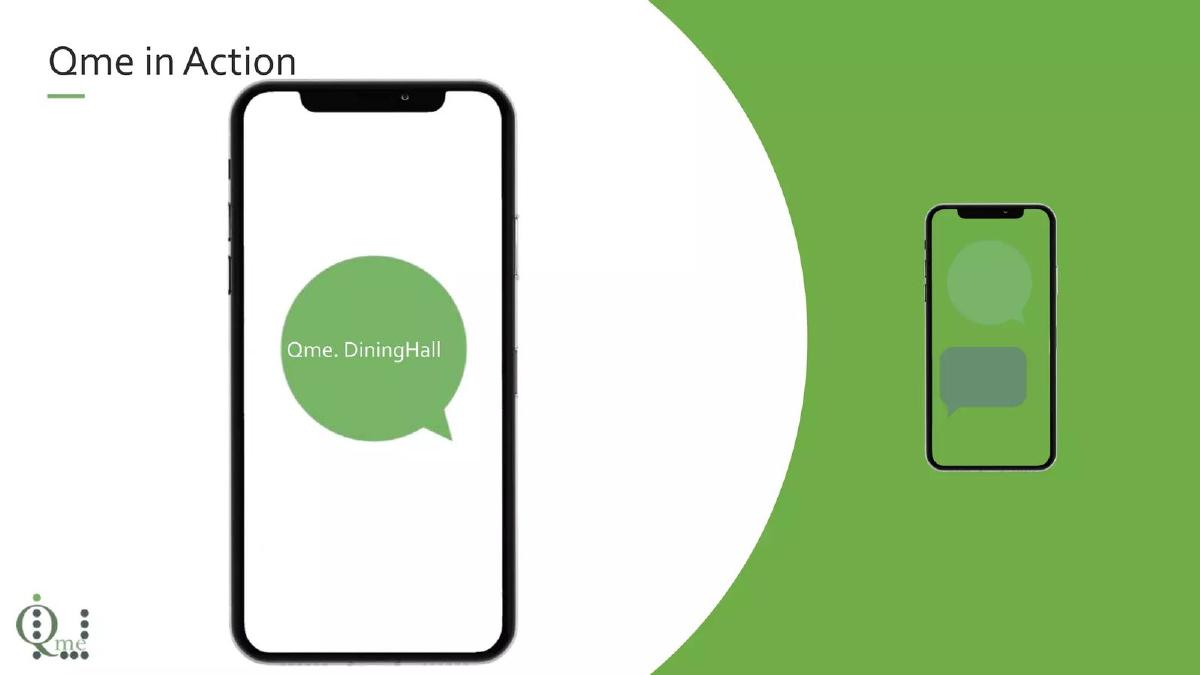
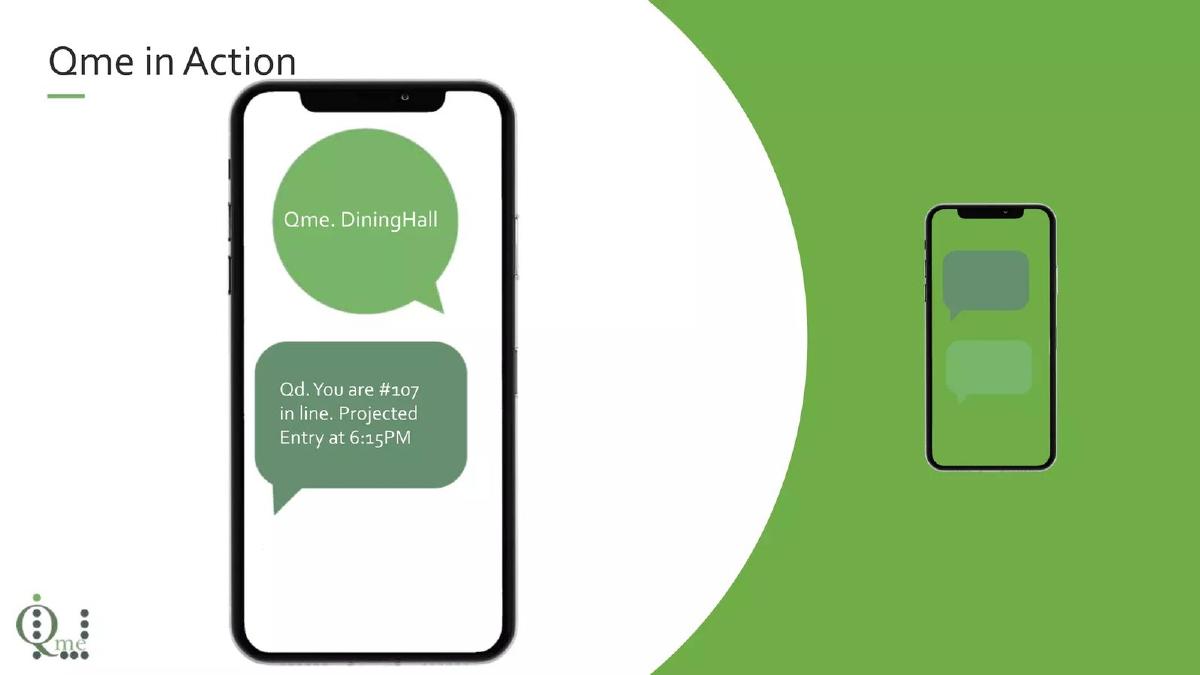
This slide demonstrates the user interface, which is notably just a standard SMS thread. A user texts "Qme. DiningHall" and receives an immediate response: "Qd. You are #107 in line. Projected Entry at 6:15PM." This slide is effective because it proves the low barrier to entry; there is no app to download, which is a major friction point for casual retail customers.
Slide 3: Qme in Action - Cancellation
Continuing the UX walkthrough, Slide 3 shows the "Hassle-free Cancellation" process. By texting "Qme. Cancel," the user receives a confirmation. This highlights the two-way communication capabilities of the platform and the ease with which the system manages churn within the queue.
Slide 4: Qme for all Queues
This slide provides technical depth by distinguishing between a "Virtual Queue" and a "Partial VQ." The Virtual Queue is described as a system where spots are reserved via SMS, and the platform handles wait times, notifications, and admit codes. The Partial VQ is a hybrid model where a virtual line is balanced against a physical "ad hoc" line using a pre-defined acceptance rate. This shows an understanding of real-world retail operations where not every customer will use the digital tool.
Slide 5: College Dining Halls Use Case
Qme identifies a specific niche here. The slide mentions "Advance Notice," allowing students to enter a virtual queue up to 60 minutes prior to a dining period. This suggests the platform is not just for immediate needs but also for scheduled flow management in high-traffic institutional environments.
Slide 6: Counter Service Use Case
This slide breaks down the product into three operational components: FIFO Stack (digital signage broadcasting wait times), SMS Notifications (notifying customers of their station), and Server Claiming (an interface for employees to update the list as they process orders). This is the most detailed slide regarding the actual workflow for the business owner.
Slide 7: Section 3 - Why Choose Qme?
A simple transition slide. While it lacks data, it sets the stage for the company's value proposition. The imagery shifts to a more global or outdoor market context, perhaps hinting at the versatility of the tool.
Slide 8: Who We Are
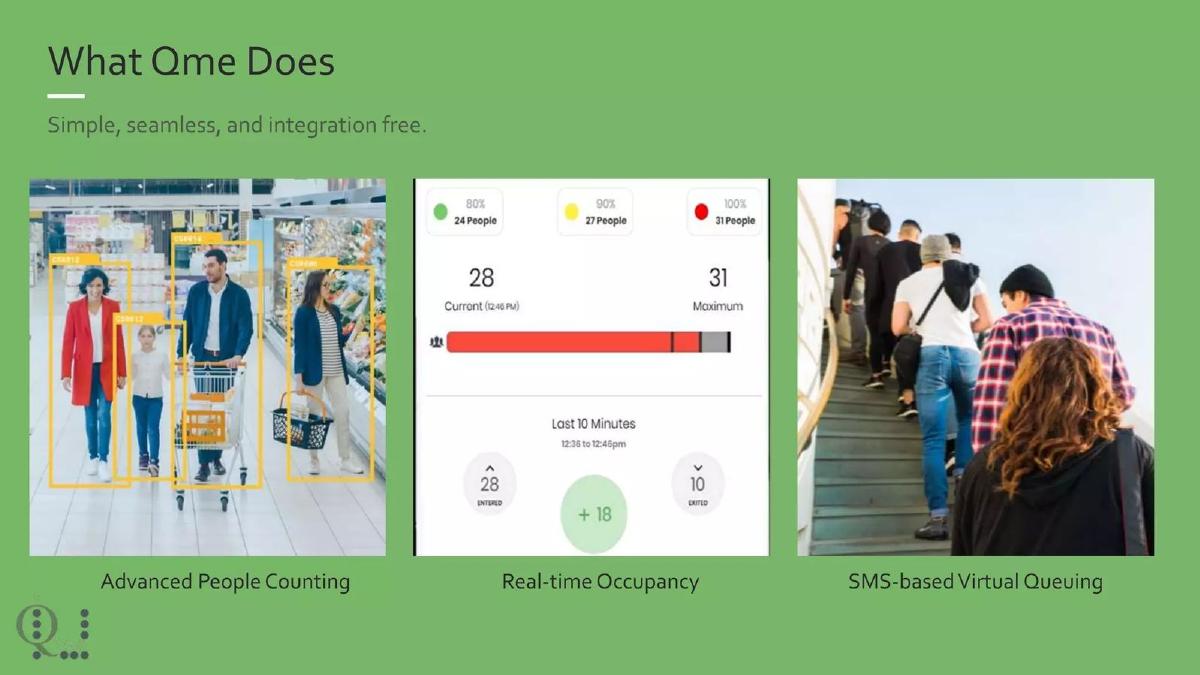
Instead of a team slide with headshots, Qme presents its corporate pedigree. They claim to be "People Counting Experts" with an "established occupancy platform." The visuals show heatmaps and occupancy dashboards, suggesting that Qme is a new application of their existing sensor or data technology. This builds credibility by showing they aren't a pre-product startup, but rather an established player in spatial analytics.
Slide 9: Closing Slide
The final slide reveals the parent company: "By Digital Mortar." It repeats the branding from the cover and offers a standard thank you. Notably, there is no contact information or call to action on this specific slide.
What Works Well
Clarity of Product: Within the first three slides, any viewer understands exactly how the product works. The use of SMS screenshots is a powerful way to demonstrate the simplicity of the user experience. By avoiding complex diagrams and focusing on the text interface, the founders emphasize the lack of friction for the end customer.
Operational Realism: Slide 4 (Partial VQ) is a standout. Many queue management pitches assume a 100% digital adoption rate, which is rarely true in physical retail. By acknowledging the need to balance virtual and physical lines with a "pre-defined accept rate," Qme demonstrates that they have tested this in the real world and understand the needs of store managers.
Vertical Specificity: Rather than claiming to solve "all waiting" everywhere, the deck highlights specific environments like college dining halls and counter service. This helps a potential investor or partner visualize the exact sales motion and the specific pain points (like student rush hours) being addressed.
What is Missing
Market Size and Opportunity: The deck is entirely focused on the product and the current company identity. It fails to mention the Total Addressable Market (TAM). There is no data on how many dining halls or retail counters could benefit from this, or what the broader "queue management" market looks like in dollar terms.
Business Model and Unit Economics: It is unclear how Qme makes money. Is it a SaaS fee per location? A per-SMS transaction fee? A percentage of the revenue processed through the queue? Without a business model slide, it is impossible to evaluate the financial viability of the startup.
Traction and Metrics: While the deck mentions an "established occupancy platform," it provides zero hard numbers. There are no mentions of current revenue, number of active locations, number of SMS messages sent, or customer retention rates. For a company claiming to be "experts," the lack of data is a significant omission.
The Team: Investors invest in people. This deck hides the people behind a corporate entity (Digital Mortar). While the company expertise is a plus, the lack of individual biographies, past successes, or technical credentials for the leadership team makes it harder to build a personal connection or assess the "founder-market fit."
Founder Takeaways
Show, Don't Just Tell: The way Qme uses mobile phone mockups to show the SMS flow is a masterclass in product demonstration. If your product is simple, keep the slides simple. Don't use a 500-word description when three text bubbles can explain the entire value proposition.
Acknowledge the Hybrid Reality: If you are building a tool for the physical world, account for the people who won't use your tool. Qme's "Partial VQ" slide is a great example of showing that you understand the operational complexities of your target customers.
Don't Forget the 'Pitch' in Pitch Deck: While this functions well as a product overview, it is a weak fundraising document. If you are seeking capital, you must include the market size, the business model, and the specific ask. A deck that ends with "Thanks for Watching" without a clear next step or financial context leaves the investor with too many unanswered questions.
Leverage Existing Credibility: If your startup is a spin-off or a new product from an existing company, use that history. Qme correctly identifies that their background in "People Counting" makes them more believable as "Queue Management" experts. Use your past to validate your future.
Frequently asked questions
- What is the core technology behind Qme?
- Qme relies on SMS (Short Message Service) to manage the interaction between the customer and the queue. According to Slide 2 and Slide 6, users text a keyword to join a line and receive automated updates regarding their position and projected entry time. This approach is designed to be 'hassle-free' by eliminating the need for customers to download a specific mobile application or visit a website to wait in line.
- How does Qme handle physical walk-ins alongside virtual users?
- The deck introduces a concept called 'Partial VQ' on Slide 4. This system allows a business to run a virtual queue alongside a traditional ad hoc (physical) line. The software balances these two streams based on a 'pre-defined accept rate from each,' ensuring that both virtual and physical customers are serviced in a systematic manner.
- What specific industries does Qme target?
- The slides highlight two primary use cases: College Dining Halls (Slide 5) and Counter Service retail/dining (Slide 6). For dining halls, the focus is on 'Advance Notice' reservations. For counter service, the deck emphasizes digital signage integration, wait time projections, and tools for servers to 'swipe in' on devices to update the queue automatically.
- Who is the team behind Qme?
- The deck does not list individual founders or executives. Instead, Slide 8 and Slide 9 attribute the product to 'Digital Mortar.' They describe themselves as 'People Counting Experts' who already operate an established occupancy platform. This suggests Qme is a product expansion or a spin-off from an existing data and analytics company focused on physical retail spaces.
- Is there an investment ask in this deck?
- No. The provided slides do not include a 'The Ask' slide, nor do they mention how much capital is being raised, the valuation, or the intended use of funds. The deck functions more as a product overview or a sales presentation than a traditional high-growth venture capital pitch.