Scenery’s 12-slide Series A deck is a masterclass in visual storytelling for a creative product. By focusing on the friction of remote collaboration rather than just feature parity with legacy editors, Scenery positions itself as the 'Figma for Video.' The deck successfully identifies three distinct pain points—asset synchronization, real-time editing, and feedback loops—and presents a unified solution. While the deck is light on traditional financial metrics and market sizing, it leans heavily on the founders' 15+ years of industry experience and high-fidelity product mockups. The $14.6M rai…
Key takeaways
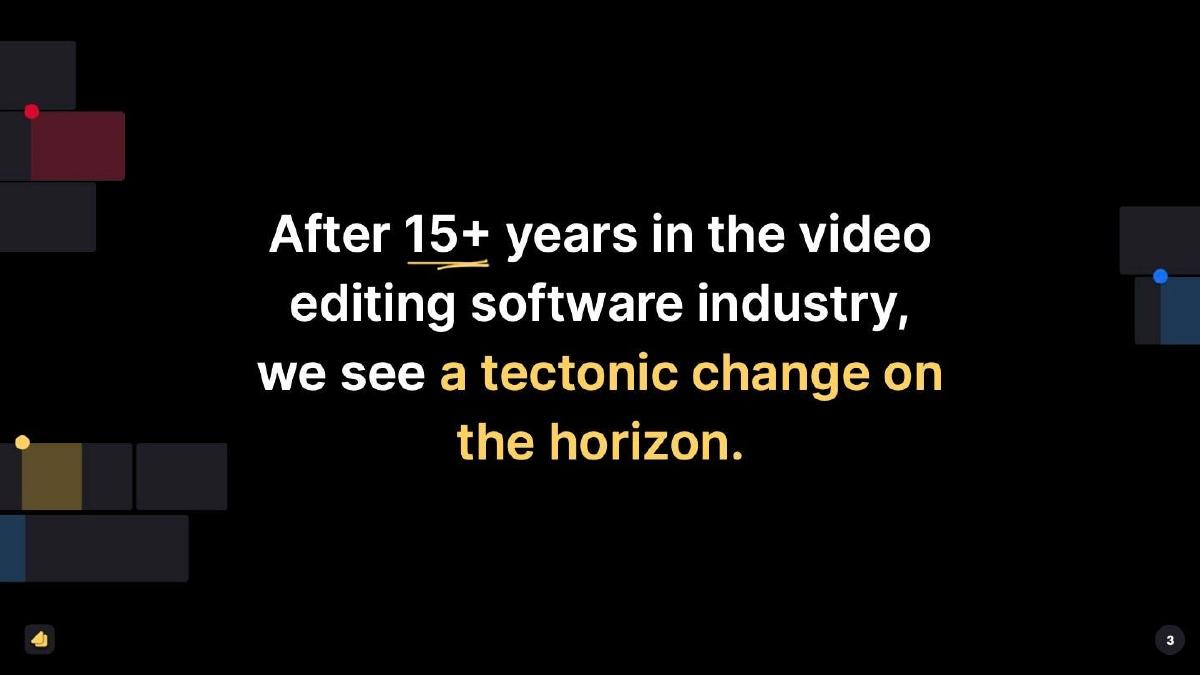
- The deck identifies a 'tectonic change' in the industry based on the founders' 15+ years of experience (Slide 3).
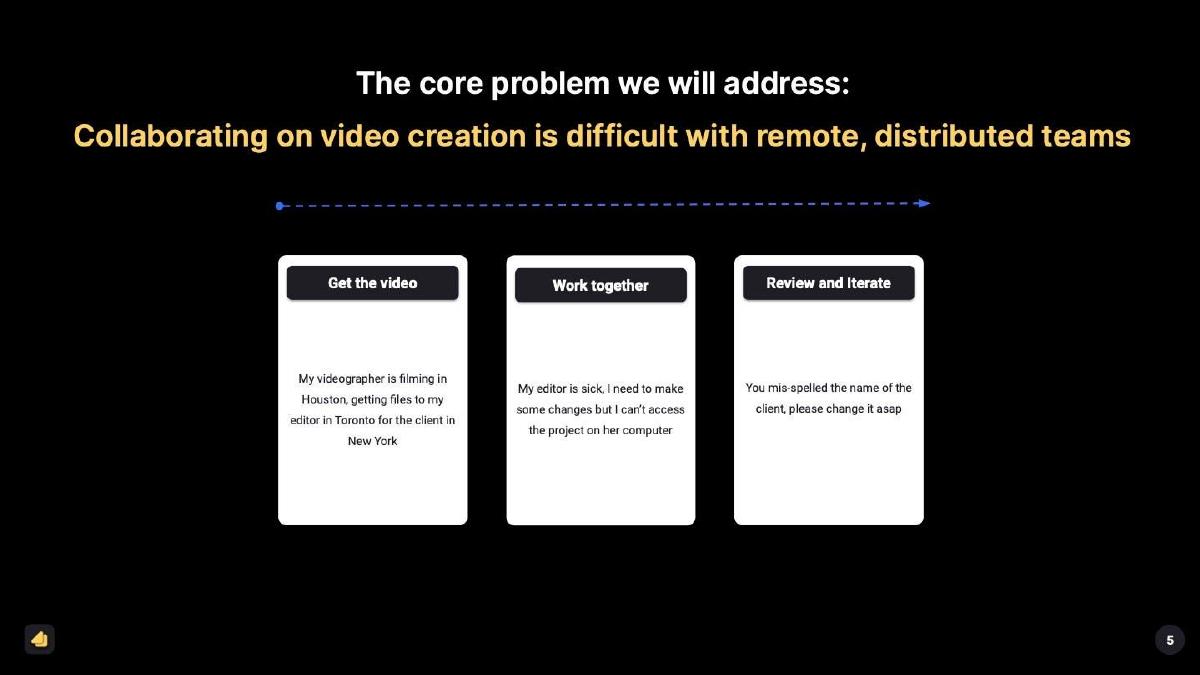
- Scenery defines the core problem as the difficulty of video creation with remote, distributed teams (Slide 5).
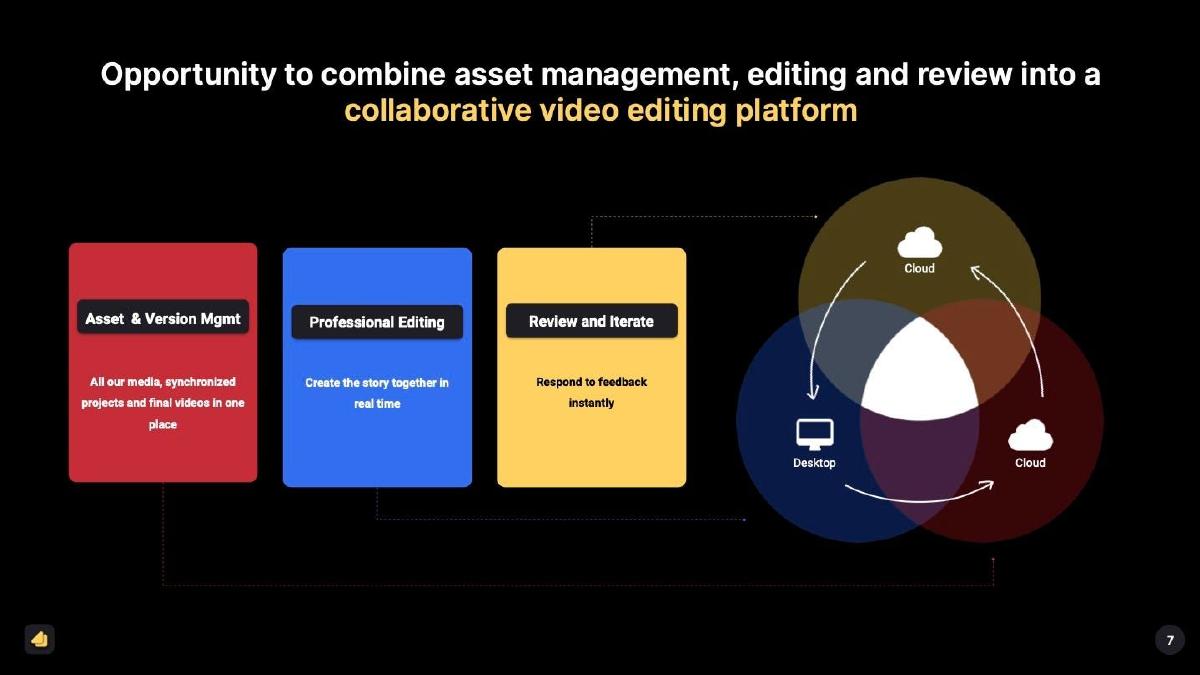
- The solution is presented as a combination of asset management, professional editing, and review in one platform (Slide 7).
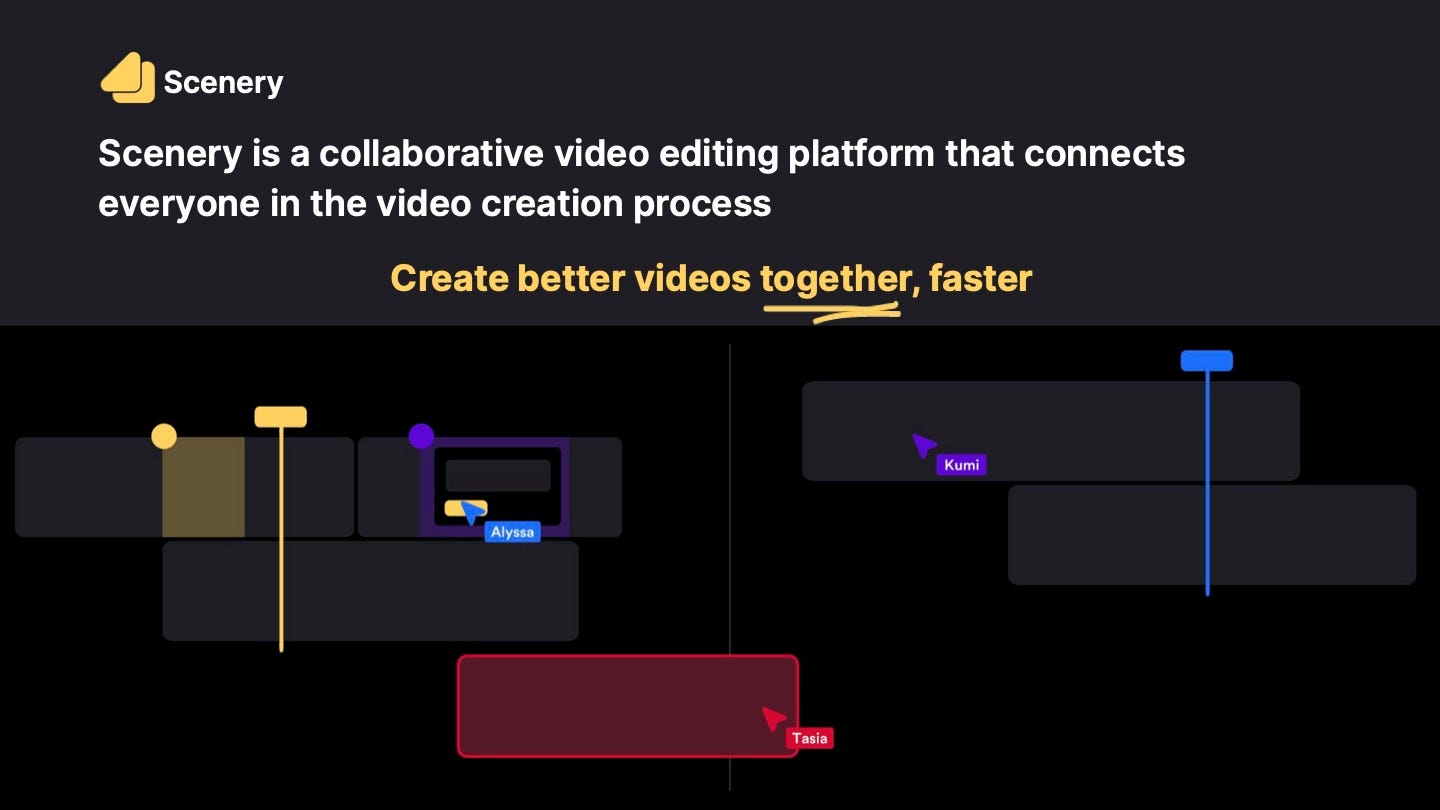
- The product vision emphasizes real-time collaboration, showing multiple users (Alyssa, Kumi, Tasia) active in the same workspace (Slide 1).
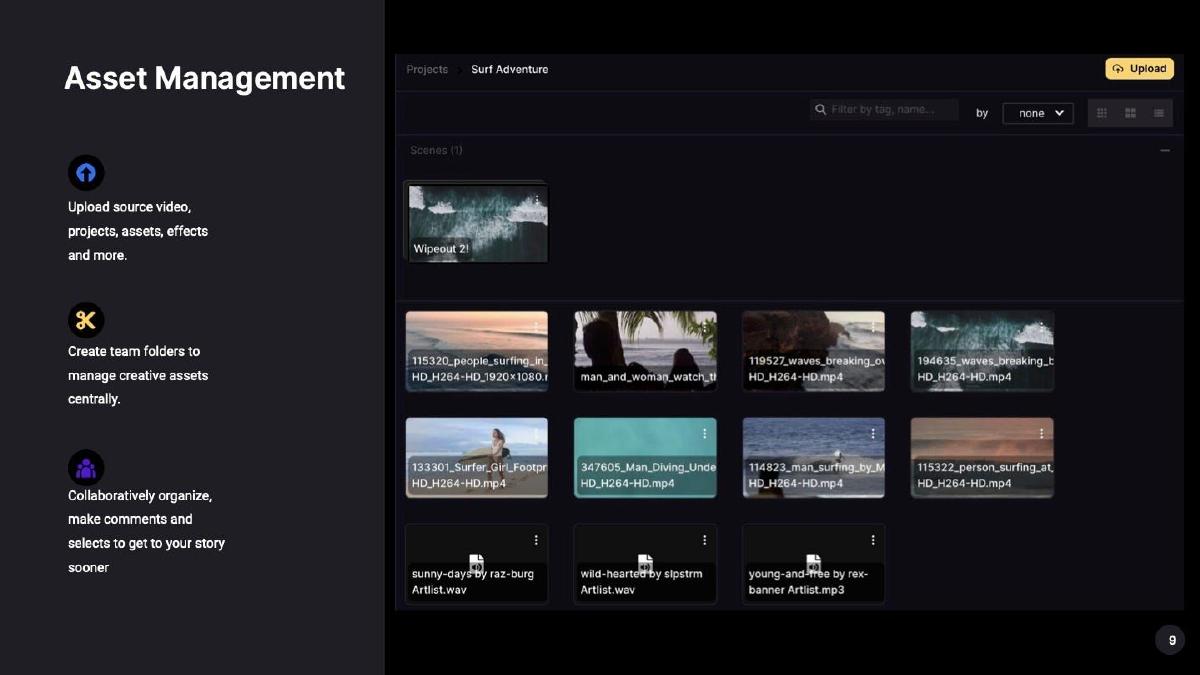
- Asset management is highlighted as a foundational feature, allowing teams to manage creative assets centrally (Slide 9).
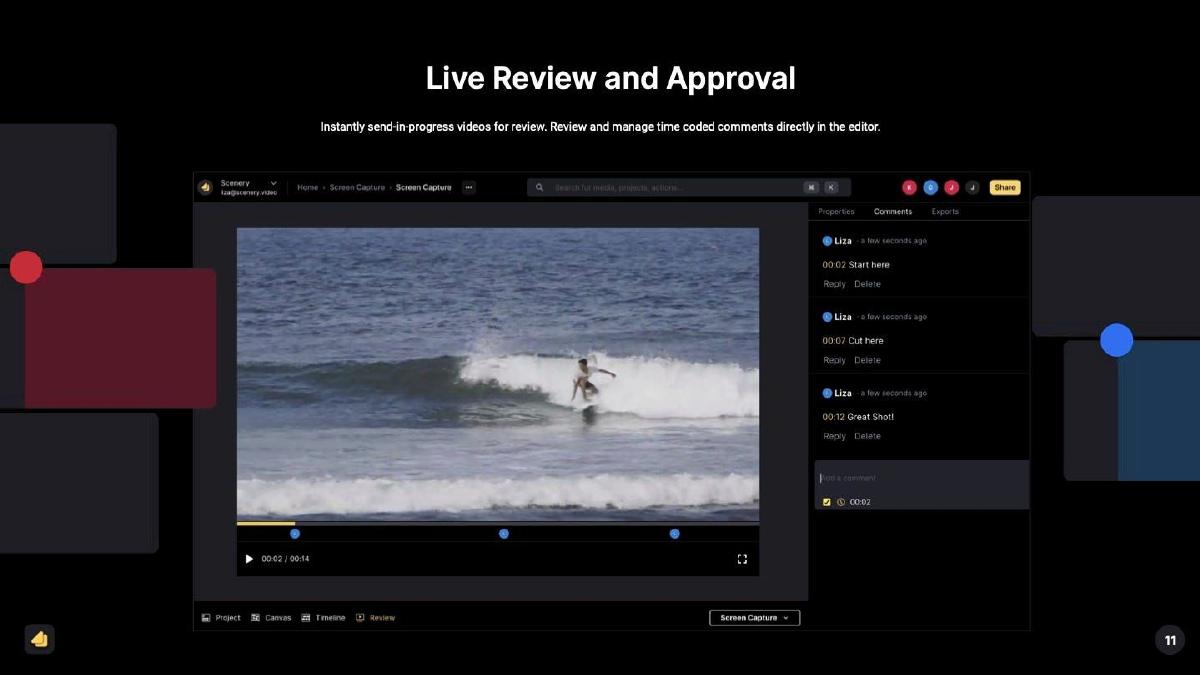
- The deck showcases a 'Live Review and Approval' feature with time-coded comments directly in the editor (Slide 11).
- There is a total absence of financial data, user growth metrics, or a specific 'Ask' slide in the provided materials.
- The deck uses a dark-mode aesthetic that mirrors professional creative software, reinforcing its brand identity.
The Narrative: Collaboration as the Killer Feature
Scenery’s pitch deck is a focused argument for a workflow revolution. In the world of professional video editing, the status quo has long been dominated by heavy desktop applications like Adobe Premiere Pro or DaVinci Resolve. While these tools are powerful, they were not built for a world where the videographer, the editor, and the client are in different time zones. Scenery identifies this gap not as a lack of features, but as a lack of connectivity. The deck, reported by Business Insider to have raised $14.6M in 2024, uses a minimalist design to highlight how they bridge the gap between asset storage and final export.
Slide 1: The Vision Statement
The deck opens with a clear, high-level summary: "Scenery is a collaborative video editing platform that connects everyone in the video creation process." The sub-headline, "Create better videos together, faster," emphasizes the two most important metrics for any creative team: quality and speed. The visual on this slide is critical; it shows a stylized timeline with multiple user cursors (Alyssa, Kumi, Tasia). This immediately signals that Scenery is 'multiplayer' by default, differentiating it from legacy 'single-player' software.
Slide 3: The Founder Authority
Slide 3 establishes credibility without a traditional 'Team' slide. It states, "After 15+ years in the video editing software industry, we see a tectonic change on the horizon." By leading with tenure, the founders position themselves as insiders who have earned the right to disrupt the market. They aren't just building a tool; they are responding to a shift they have observed over a decade and a half. The phrase 'tectonic change' suggests that the move to collaborative, cloud-based workflows is inevitable, not just a trend.
Slide 5: Defining the Friction
Slide 5 breaks down the "core problem" : collaboration is difficult with remote teams. The slide uses three specific scenarios to illustrate the pain points:
Get the video: A videographer in Houston needs to get files to an editor in Toronto for a client in New York. This highlights the logistics nightmare of large file transfers. · Work together: An editor is sick, and the manager can't access the project because it's locked on a local machine. This highlights the risk of 'siloed' work. · Review and Iterate: A simple typo fix requires a full export and re-upload cycle. This highlights the inefficiency of the feedback loop.
Slide 7: The Integrated Solution
This slide is the architectural heart of the deck. It proposes an "Opportunity to combine asset management, editing and review into a collaborative video editing platform." It uses a Venn diagram-style graphic to show the intersection of 'Desktop' and 'Cloud.' By grouping "Asset & Version Mgmt," "Professional Editing," and "Review and Iterate" into one flow, Scenery promises to eliminate the need for three or four separate subscriptions (e.g., Dropbox, Premiere, and Frame.io).
Slide 9: Asset Management Deep Dive
Slide 9 moves into the product itself, focusing on Asset Management . The text highlights the ability to "Upload source video, projects, assets, effects and more" and "Create team folders to manage creative assets centrally." The screenshot shows a clean, modern UI with tagging and filtering capabilities. For a Series A investor, this slide proves that the company has moved beyond a simple editor and is building the 'infrastructure' for video teams.
Slide 11: Live Review and Approval
The final content slide focuses on the "Live Review and Approval" process. It shows a video player with time-coded comments (e.g., "00:07 Cut here") appearing in a sidebar. The value proposition here is "instantly send-in-progress videos for review." By keeping the conversation inside the editor, Scenery eliminates the 'versioning hell' where feedback is scattered across Slack, email, and specialized review tools. It reinforces the theme of a unified workspace.
What Scenery Does Well
Workflow-Centric Storytelling: Instead of listing technical specifications (like render speeds or codec support), Scenery focuses on the human elements of the job. They describe the frustration of a sick editor or a remote client, which makes the product's value immediately relatable to anyone who has managed a creative project.
Visual Consistency: The deck uses a dark-mode theme that mirrors the actual product UI. This creates a seamless transition between the 'pitch' and the 'product,' making the platform feel mature and professional. The use of bright, distinct colors for different users (Alyssa in blue, Tasia in red) reinforces the collaborative nature of the tool without needing extra text.
Simplicity: With only 12 slides, the deck doesn't overstay its welcome. It follows a logical path: Vision -> Problem -> Solution -> Product. This clarity is likely what allowed them to secure a significant Series A in a competitive market.
What is Missing from the Deck
Financial Metrics and Traction: The provided slides contain zero data regarding user growth, monthly recurring revenue (MRR), or retention rates. While this might be a 'teaser' version of the deck, a Series A usually requires proof of product-market fit through hard numbers. Investors would want to know how many teams are currently using the platform and what the conversion rate from free to paid looks-like.
Competitive Analysis: The deck does not mention competitors like Adobe, Blackmagic Design, or newer web-based players like Runway or Kapwing. While Scenery's 'all-in-one' approach is their differentiator, failing to acknowledge the giants in the room can sometimes be seen as a red flag by investors who want to know how the company will defend its moat.
The 'Ask' and Roadmap: There is no slide detailing how much money is being raised (though we know it was $14.6M) or what the specific milestones for the next 18-24 months are. A founder should typically include a slide on how the capital will be deployed—whether that's hiring more engineers, scaling marketing, or expanding into new regions.
Founder's Guide: What to Copy
Use 'User Personas' to Illustrate Problems: Copy the way Slide 5 uses specific locations (Houston, Toronto, New York) and specific roles (Videographer, Editor, Client). This makes the problem feel real and urgent rather than theoretical. It helps investors visualize the exact customer Scenery is targeting.
The 'Single Source of Truth' Argument: If you are building a tool that replaces multiple existing tools, use a slide like Slide 7. Clearly show the three or four disparate workflows you are consolidating. This 'consolidation' narrative is very attractive to enterprise investors because it implies both cost savings and increased efficiency for the end-user.
Show, Don't Just Tell: Scenery includes high-quality screenshots of the UI (Slides 9 and 11). If your product is visual, your deck must be visual. Don't describe a feature in a bullet point if you can show a screenshot of that feature in action. It builds confidence that the product is real and functional.
Frequently asked questions
- What is Scenery's primary value proposition?
- Scenery positions itself as a collaborative, web-based video editing platform that integrates asset management, professional editing, and live review. The goal is to eliminate the friction caused by distributed teams using disconnected tools, effectively acting as a single source of truth for the entire video creation lifecycle.
- Does the deck include market sizing or TAM analysis?
- No. The 12-slide deck focuses almost exclusively on the product, the workflow problem, and the solution. It relies on the 'tectonic change' narrative and the founders' deep industry experience rather than presenting bottom-up or top-down market calculations.
- How does Scenery address the technical challenges of remote video editing?
- While the deck doesn't dive into the backend architecture, Slide 7 illustrates a hybrid model connecting 'Desktop' and 'Cloud.' This suggests a workflow where local processing power is synchronized with cloud-based collaboration and storage to handle high-resolution video files.
- Who is the target audience for this platform?
- The deck specifically mentions 'remote, distributed teams' and 'creative teams.' The examples on Slide 5—videographers in Houston, editors in Toronto, and clients in New York—indicate a focus on professional agencies and enterprise marketing departments rather than casual social media creators.
- What is missing from the Scenery pitch deck?
- The deck omits several standard venture components: a detailed team slide (beyond a mention of 15+ years experience), a competitive landscape analysis, unit economics, revenue projections, and a specific breakdown of how the $14.6M will be spent.